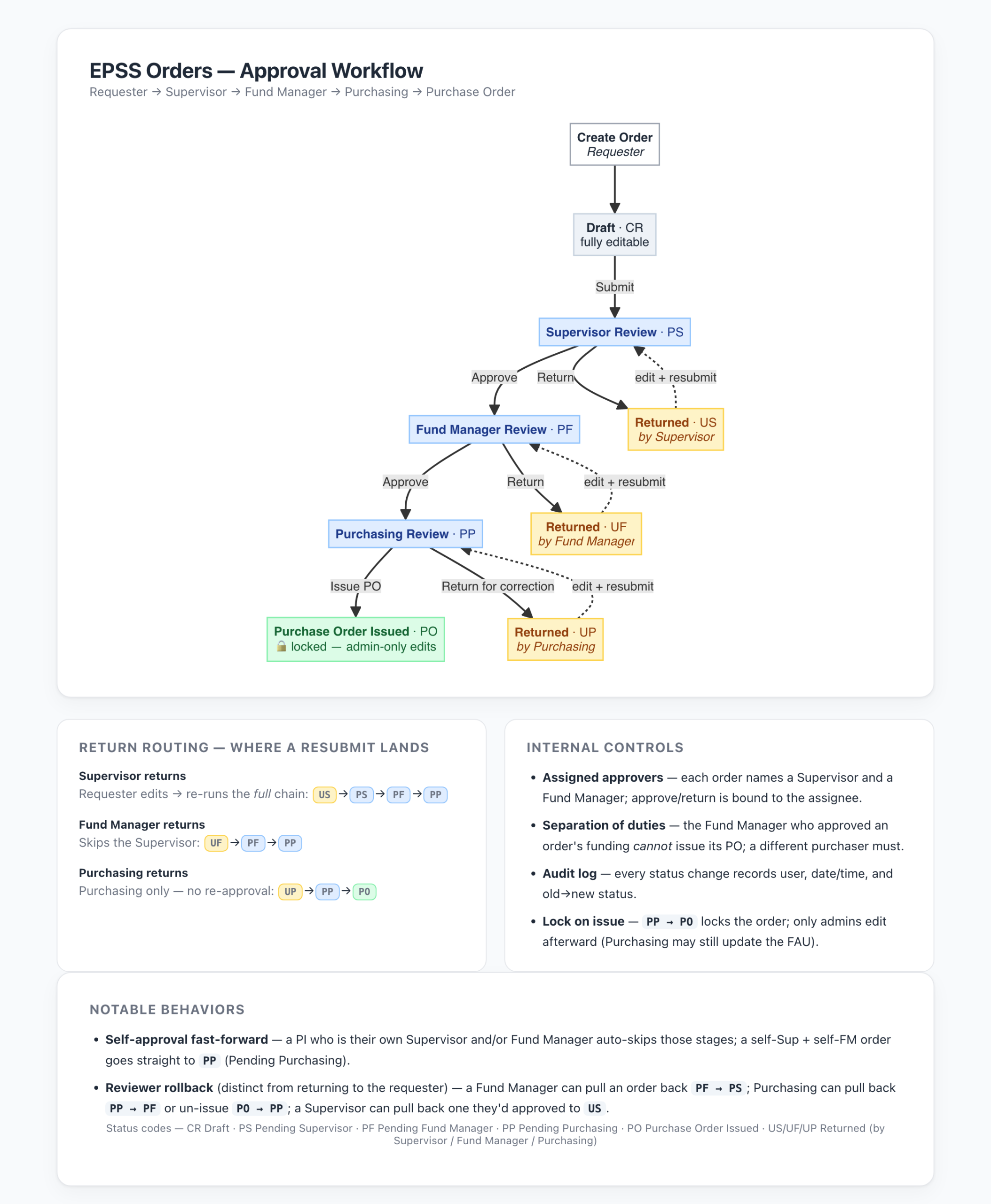
Departmental purchases are handled through the EPSS Orders app. Every order follows the same approval path: the requester creates and submits the order, the assigned Supervisor reviews it, the assigned Fund Manager approves the funding, and the Purchasing team completes a final review and issues the Purchase Order. Once a Purchase Order is issued, the order is locked.
The diagram below shows each stage of the workflow, where an order goes when it is returned for changes, and the internal controls built into the system. Click the diagram to view it at full size. If you have questions about the process, please contact the Purchasing team at orders@epss.ucla.edu.